
Pynwheel Tour product tour: how a self-guided apartment tour works
Follow a real self-guided tour of Tall Timbers in the new Pynwheel Tour app, from browsing the property map to applying before the car keys come out. Wayfinding and seamless access come first; everything else makes it the best way to explore a property. Plus everything your leasing team sees along the way.
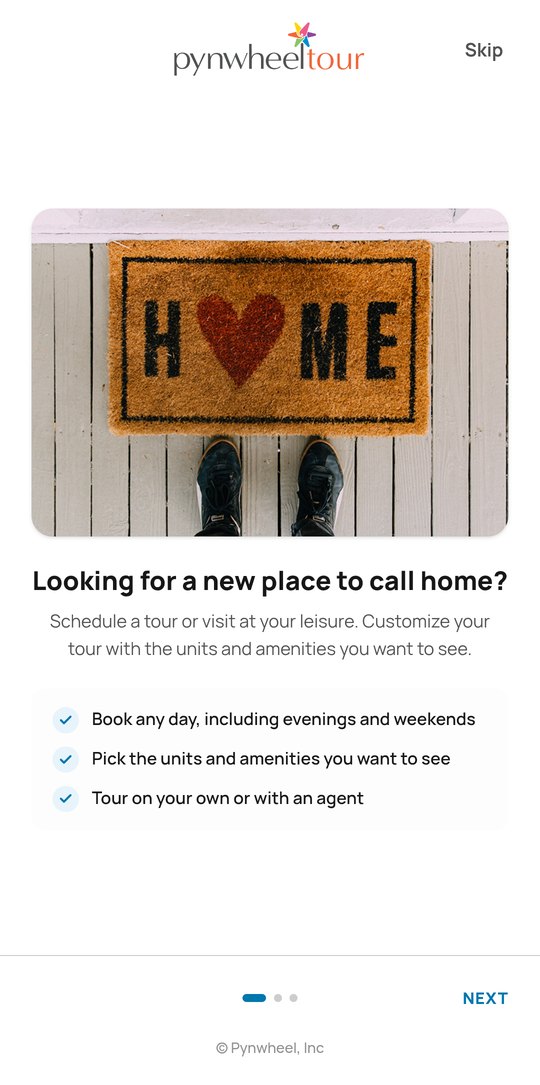
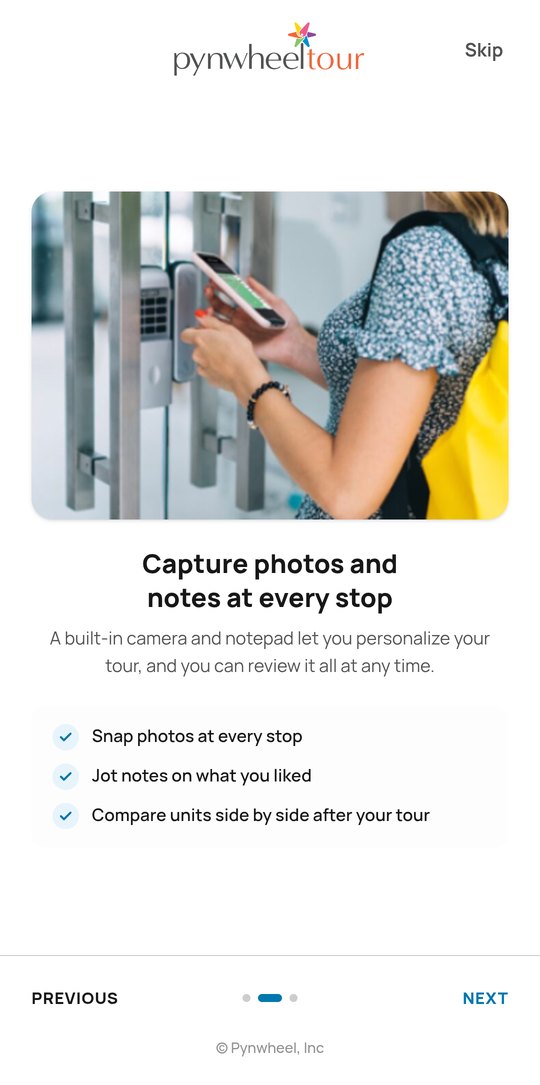
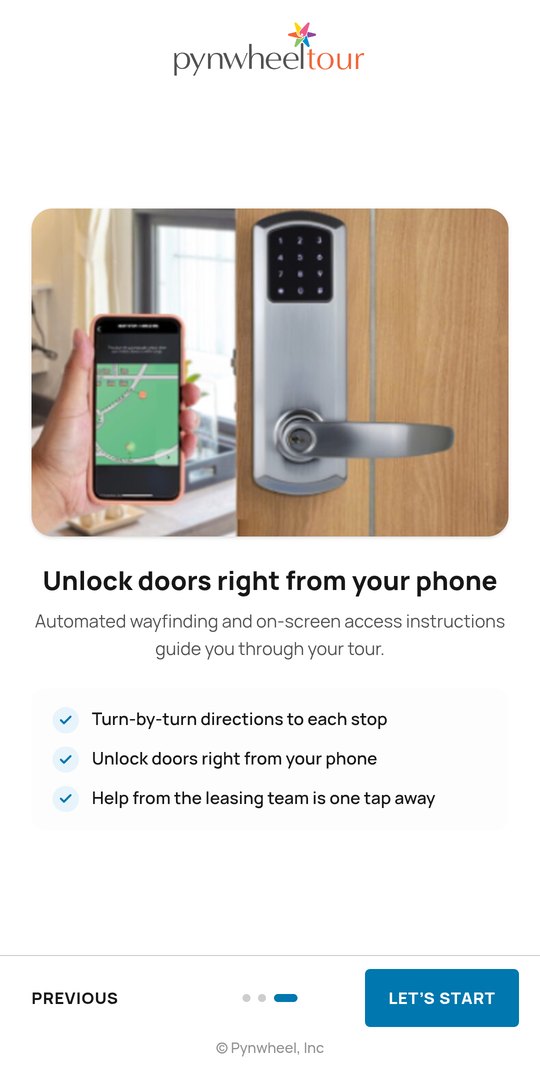
01 / AVAILABILITY
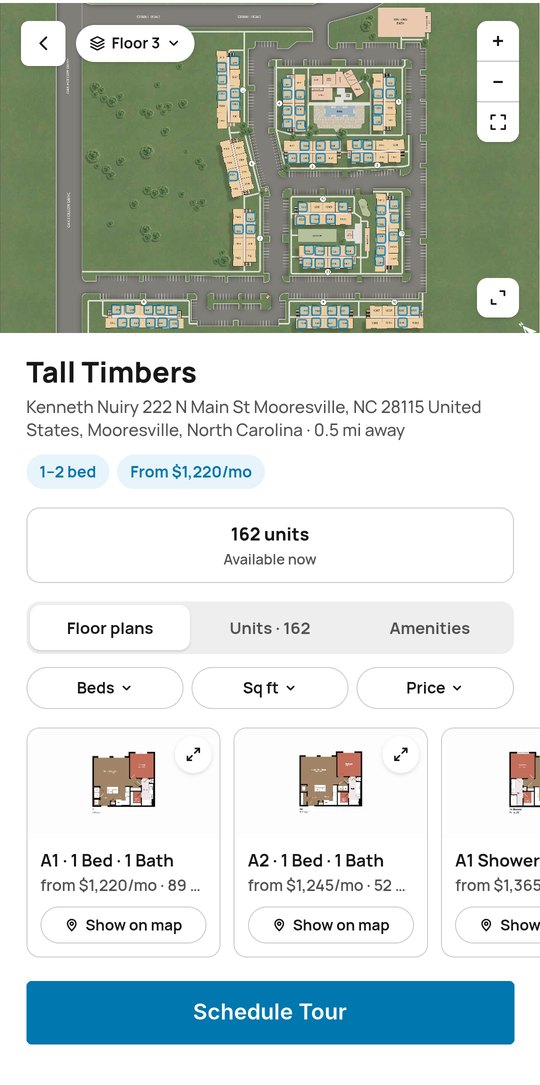
It starts on the map
Prospects browse available homes on your interactive property map, on your website with Pynwheel Map or right in the app, then pick the ones they want to see.
- Floor plans, units and amenities in one place
- Live pricing and availability from your PMS
- Filter by beds, square footage and price
02 / SIGN-IN
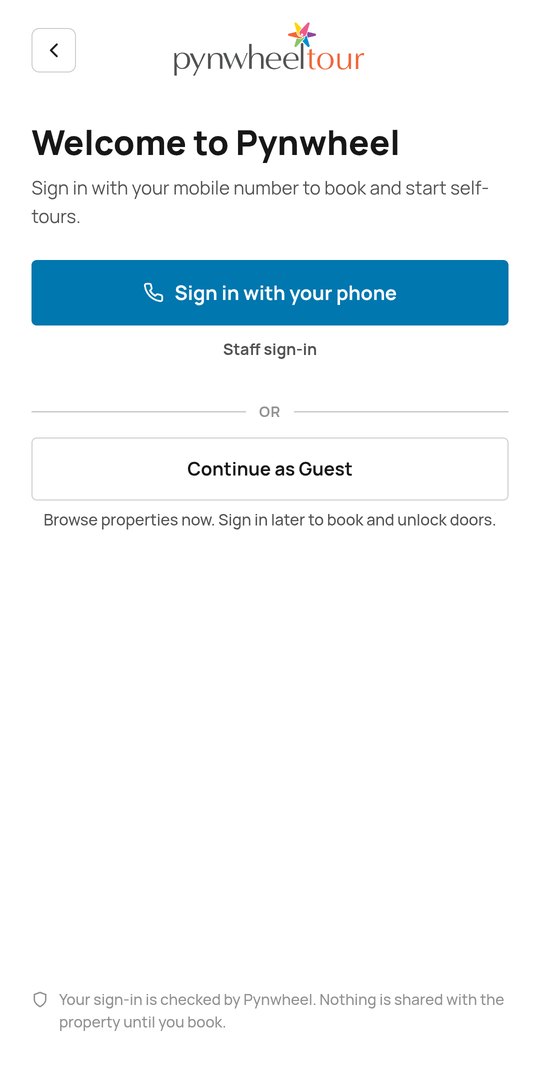
One text and they’re in
Prospects sign in with their mobile number (or email), no password required. Just browsing? They can continue as a guest and sign in later to book and unlock doors.
- Nothing is shared with the property until they book
03 / SCHEDULING
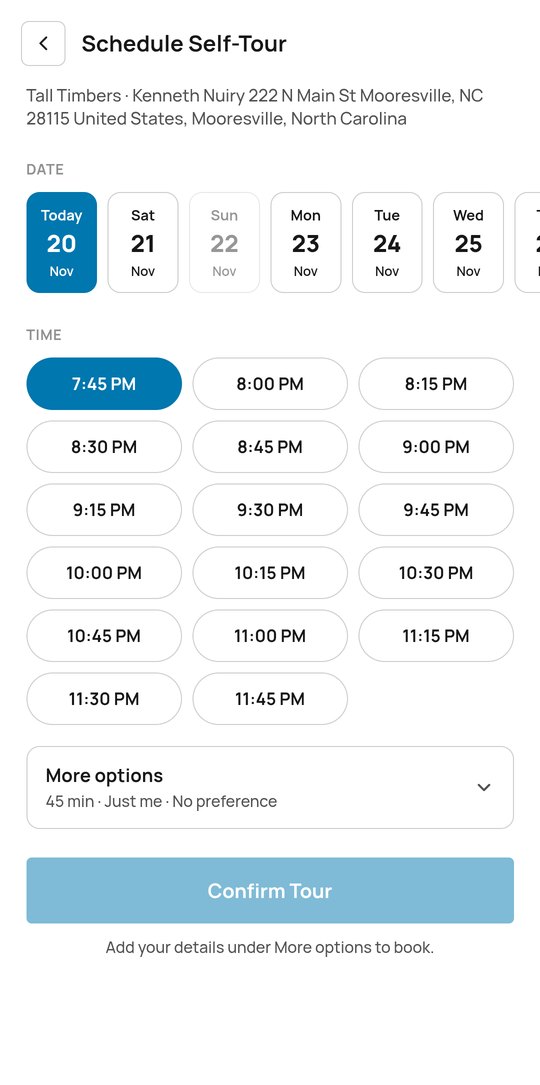
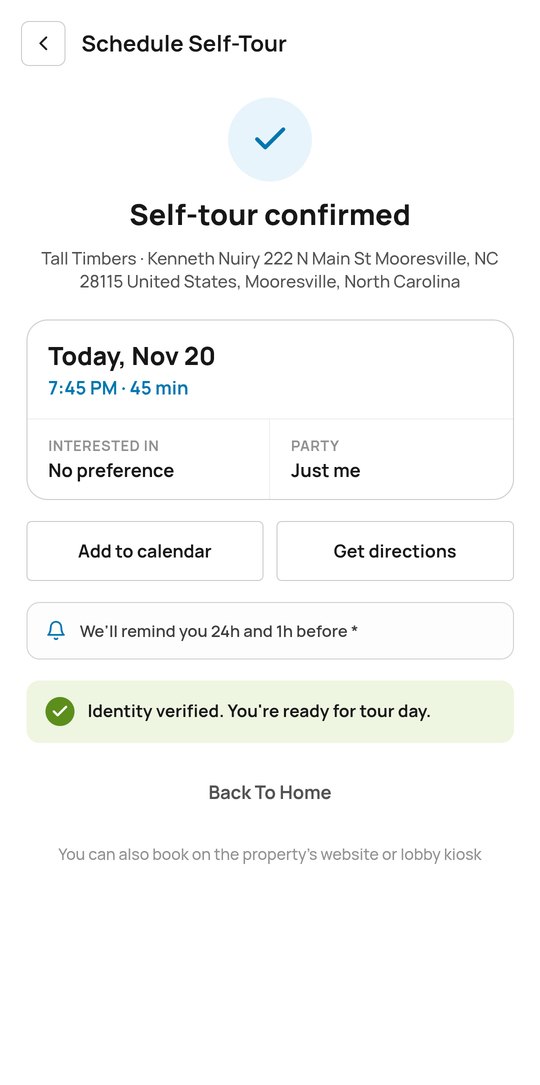
Book it, then forget it
Using Pynwheel’s scheduler (or yours), prospects pick a day and time, choose the homes they’re interested in and confirm. Reminders handle the rest.
- Evenings and weekends, too
- 30- or 45-minute tours, for parties of up to six
- Reminders 24 hours and 1 hour before
04 / SECURITY
Verified before the first door opens
Prospects upload a photo ID and take a selfie, so your team knows exactly who’s touring. Once they’re verified, they’re ready for tour day.
05 / CHECK-IN
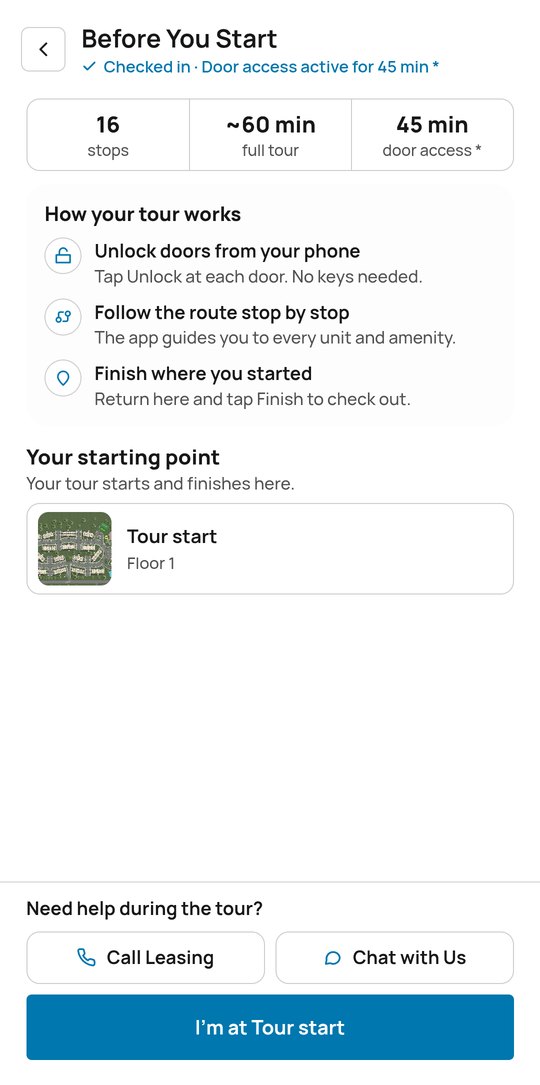
Ready, set, tour
When prospects arrive, they check in and door access switches on for the length of their tour. A quick briefing shows how the tour works and where it starts and ends.
- QR code check-in at the entrance as a backup
- Running late? One tap lets the leasing team know
- Call or chat with the leasing team anytime
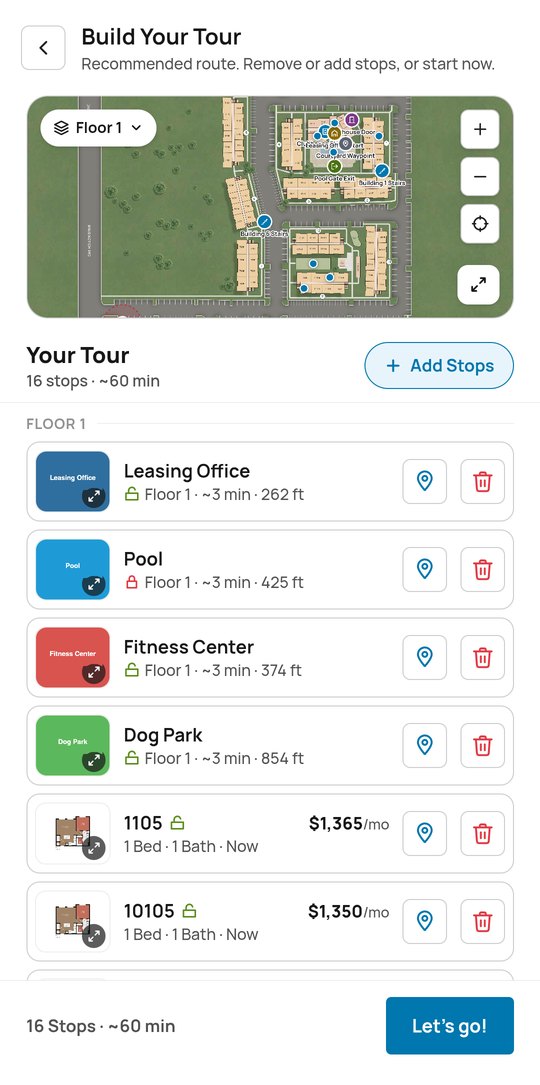
06 / TOUR CUSTOMIZATION
Their tour, their route
Pynwheel Tour recommends a route on your property map. Prospects add or remove any available home or amenity, and the route updates automatically.
- Every stop shows its floor, walking time and distance
- Search and filter homes by beds and availability
07 / WAYFINDING
Never lost on the way to the next stop
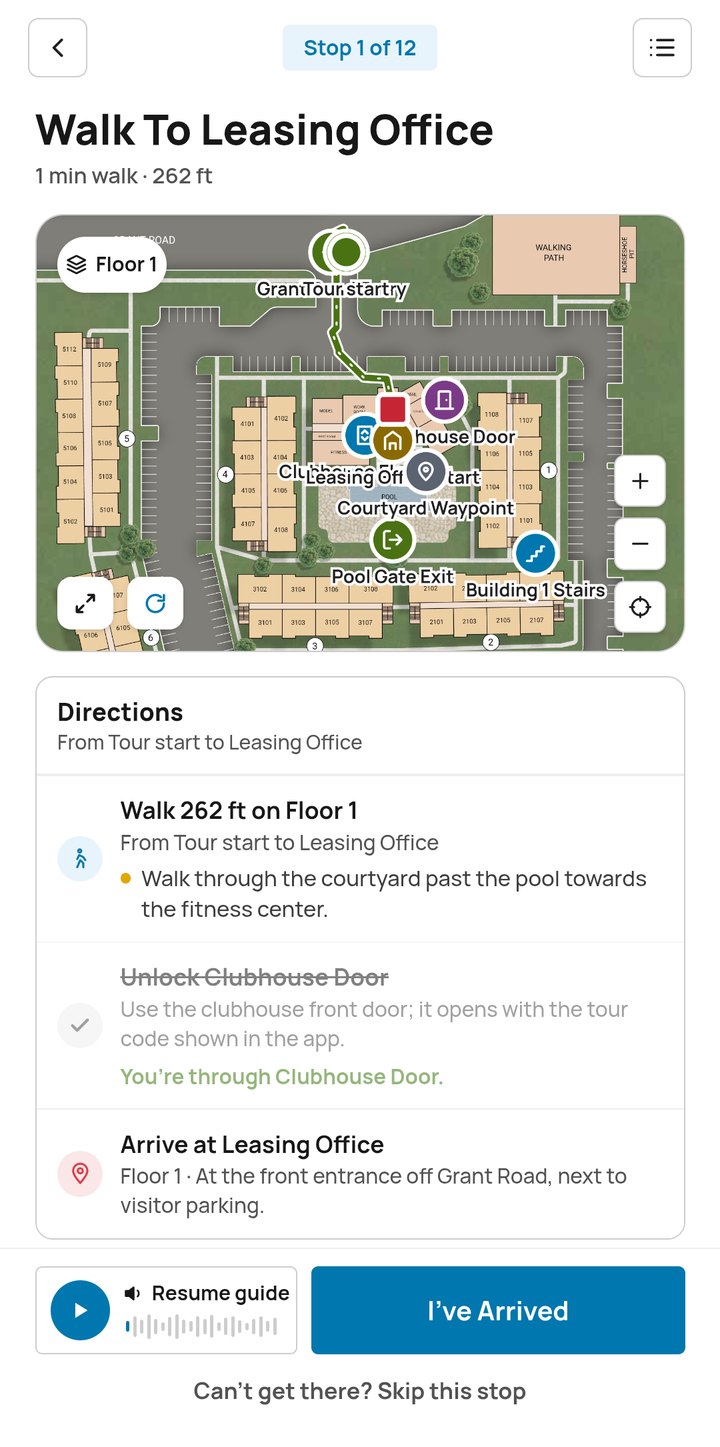
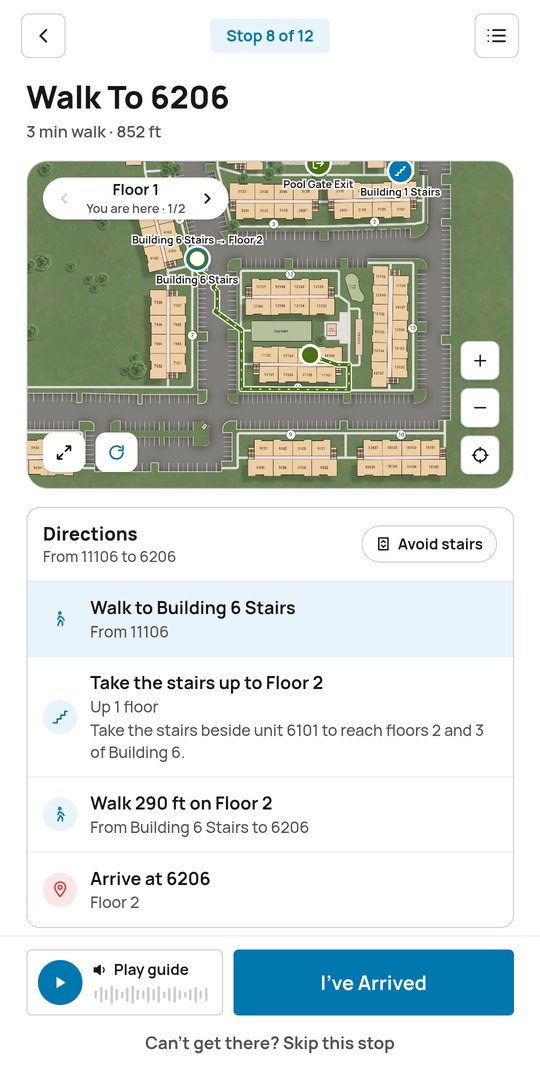
This is the part that makes Pynwheel the only self-guided tour that’s not self-guided. Every leg of the tour is drawn on your property map with step-by-step directions: which path to take, which stairs or elevator to use and where the door is when they get there.
- An audio guide reads directions aloud
- Avoid stairs routes by elevator
- Floor-by-floor maps for multi-story buildings
- Can’t get there? Skip the stop and keep going
08 / ACCESS
Doors open right on cue
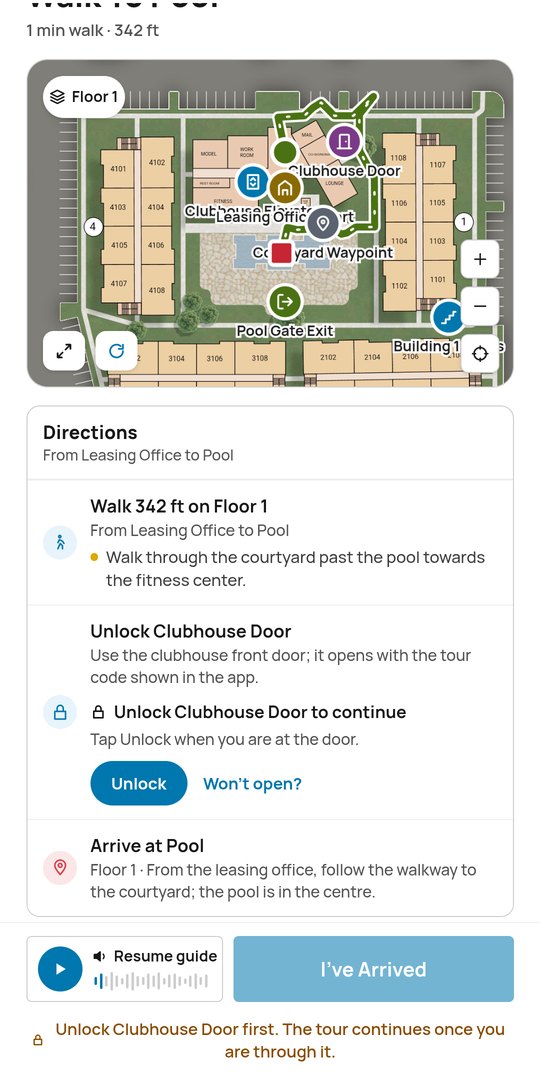
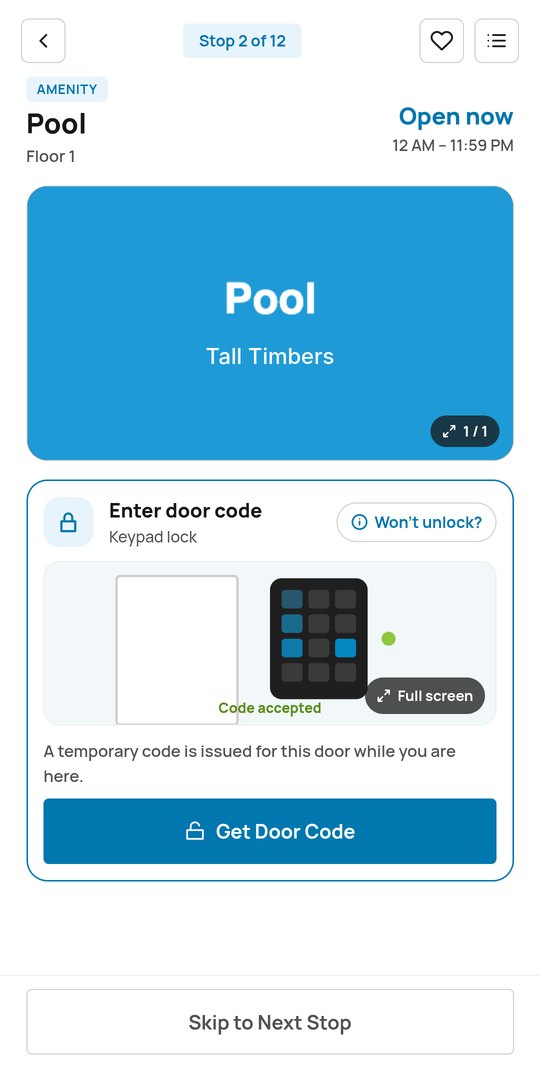
Pynwheel Tour works with any access control solution, so model homes, amenities and common areas open when prospects get there, with on-screen instructions for every door.
- Tap to unlock, or get a temporary door code
- Current access partners include Latch, RemoteLock, igloohome and dormakaba
09 / EVERY STOP
Every stop sells itself
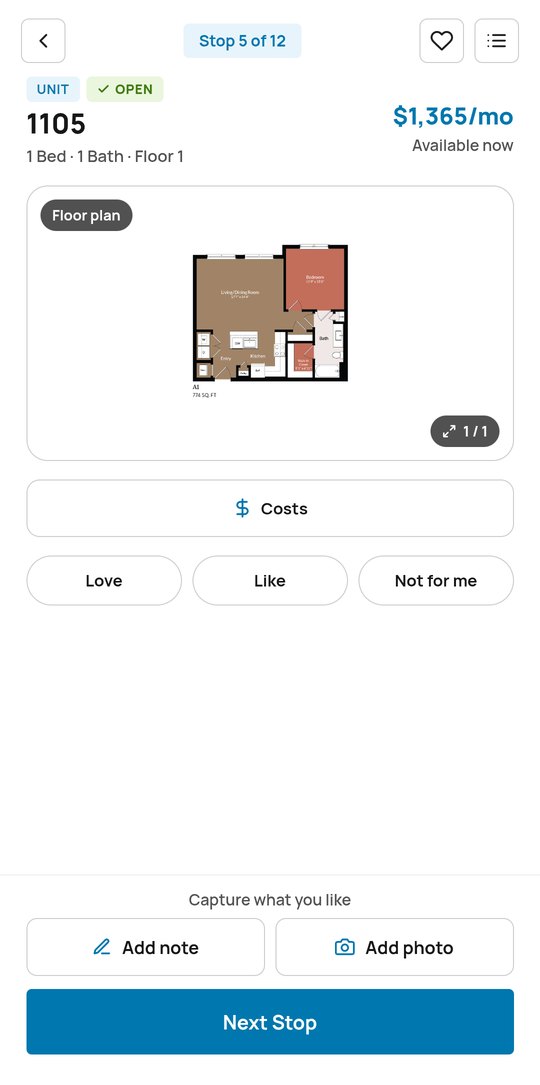
Each stop gets your photos, floor plans, pricing and an audio guide. Prospects react with Love, Like or Not for me, and capture their own notes and photos as they go, so they remember which kitchen had the good island.
- Prospects’ favorite feature: a built-in camera and notepad
- Floor plans, pricing and costs for every home
- Help from the leasing team and the AI agent along the way
10 / WRAP-UP
Finish where they started
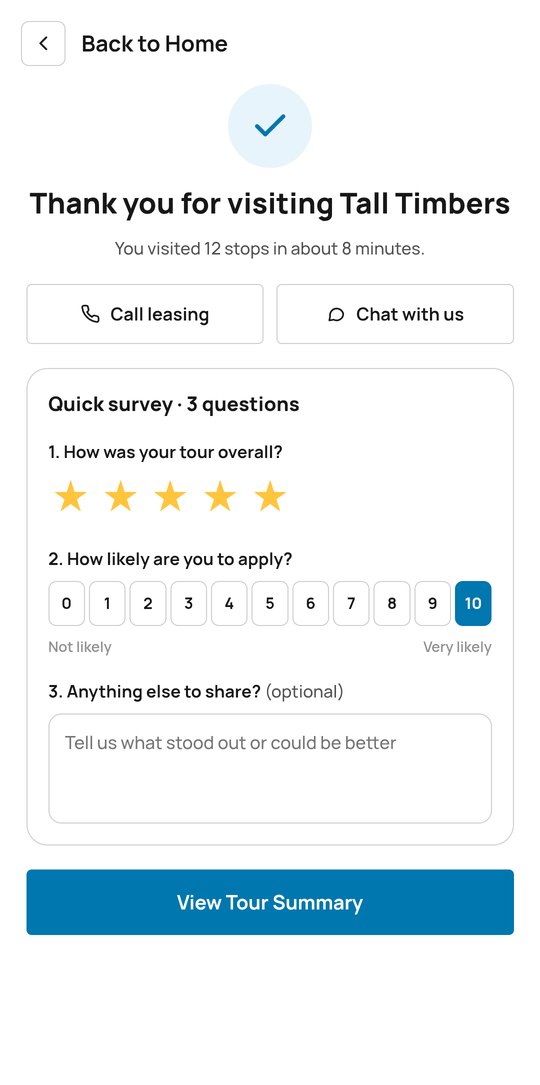
After the last stop, Pynwheel Tour walks prospects back to the start and thanks them for visiting. A quick three-question survey captures how the tour went and how likely they are to apply.
11 / COMPARE & APPLY
Apply before they leave
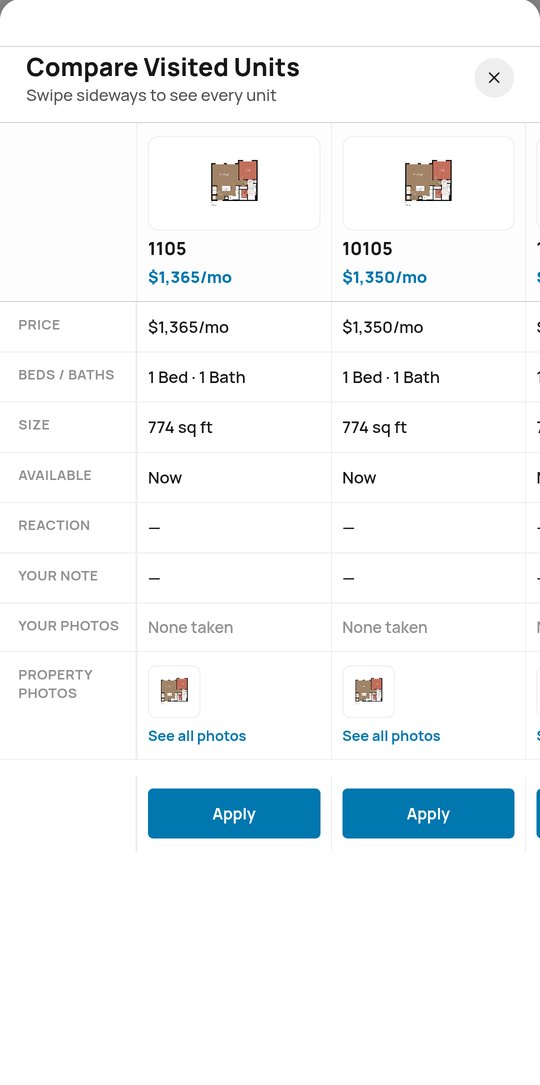
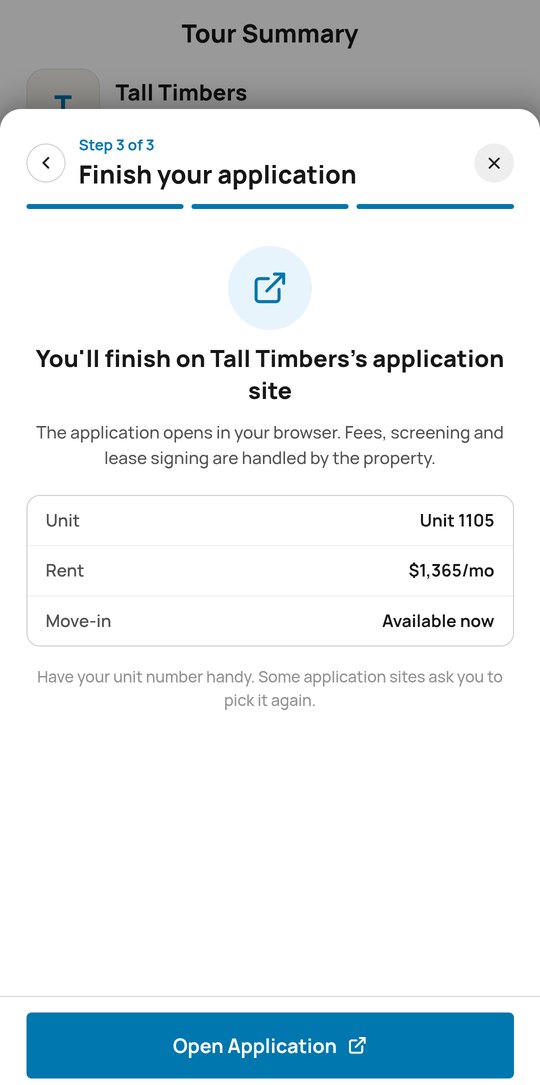
The tour summary lines up every home they saw by price, size and availability, with their own notes and photos. When they’re ready, Apply hands them off to your online application.
- Live availability and pricing from your PMS
- Links straight to your online application
12 / AFTER THE TOUR
The tour keeps working afterward
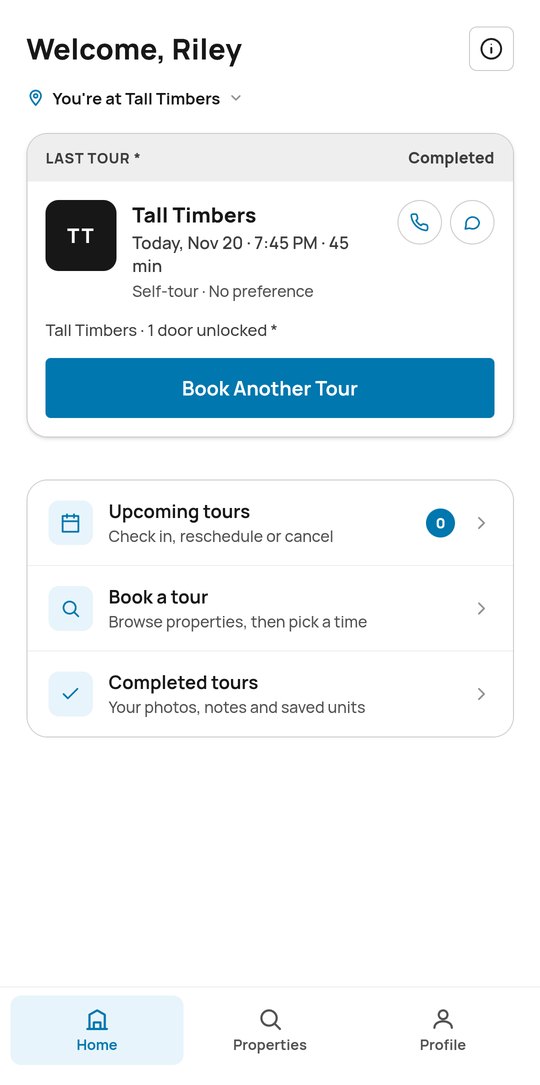
Photos, notes and saved homes stay in the app under Completed tours, so prospects can review them later and share highlights with roommates, friends and family. Ready for another? Book Another Tour is right there.
13 / VISITOR INSIGHT
Your team sees everything
Auto-alerts and a Visitor Details page in Pynwheel Connect show arrival, ID results, extended visits, departure, abandoned tours, stops visited, tour length, and prospect notes and photos, without anyone hovering.


14 / ANALYTICS
Nerd out on your tour data
The Tour Analytics page in Pynwheel Connect shows number and length of sessions, clicks, features used and more. Spreadsheet people, this one’s for you.
See the only self-guided tour that’s not self-guided
We’ll walk you through the new Pynwheel Tour live. Being the most enjoyable company to work with in multifamily means the demo is fun, too.