ESSENTIAL 01
Wayfinding
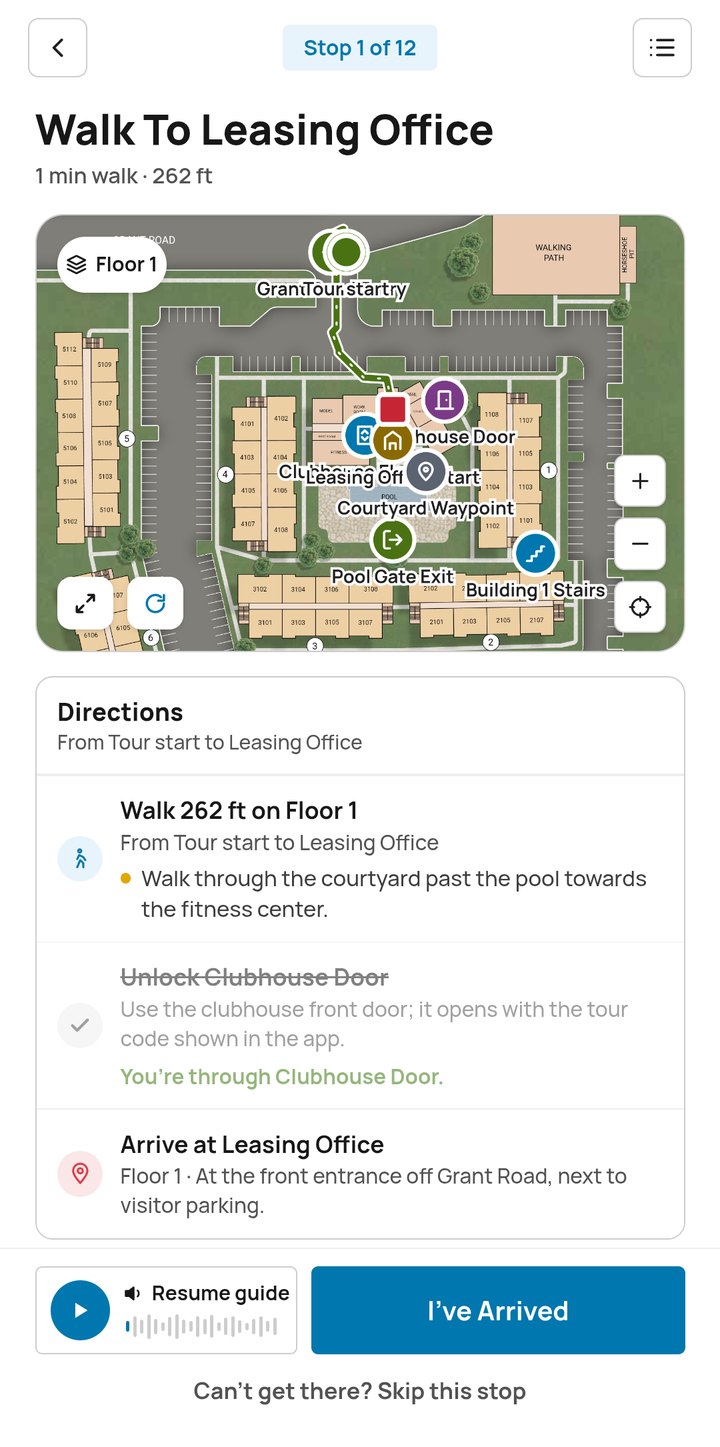
Every stop lives on your map, with a mapped route and step-by-step directions from the leasing office to the pool to the dog park to the home they came to see. No guessing which building is which.

Pynwheel Tour is the only self-guided tour solution built around your property map. Every stop is mapped, every route is drawn and the door opens when prospects get there. The new Pynwheel Tour works as an app and on the web, with even better wayfinding, an AI agent along for the tour and a fresh new look.
// v.new — same big idea, everything else leveled up
We took the self-guided tour our clients already love and rebuilt it around what matters most on a tour: getting prospects to the right place and through the right door, without a hitch.
// map-first, not map-bolted-on
Other self-guided tours wedge a third-party map in after the fact, and prospects can tell. Pynwheel Tour starts with your property map, so the two things that make or break a self-guided tour come first.
ESSENTIAL 01
Every stop lives on your map, with a mapped route and step-by-step directions from the leasing office to the pool to the dog park to the home they came to see. No guessing which building is which.
ESSENTIAL 02
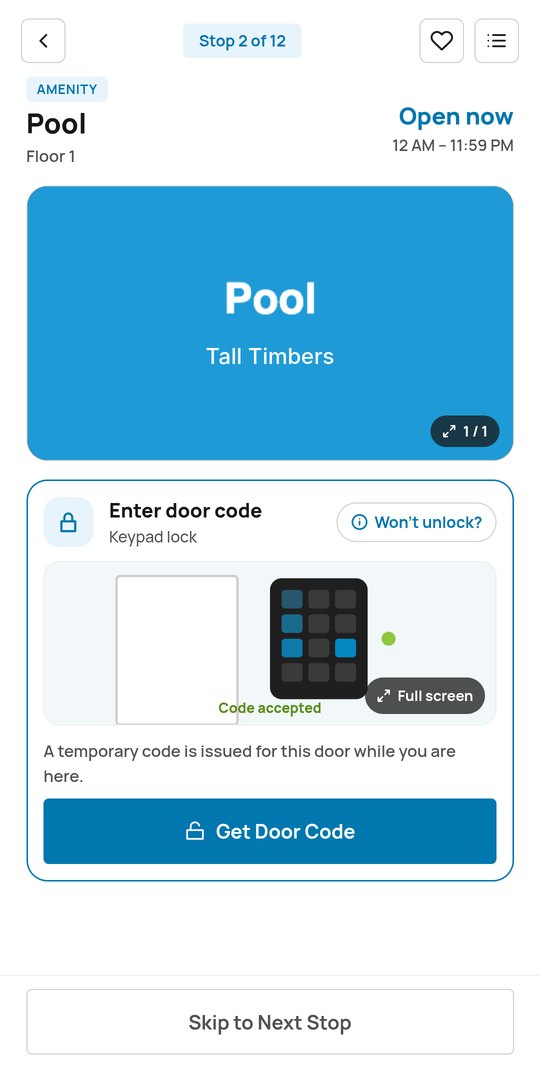
Tap to unlock (or grab a temporary door code) and the door opens. Pynwheel Tour integrates with any access control solution, so models, amenities and common areas just work.
Put it all together and it’s the best way to explore a property. (We’re biased. We’re also right.)
// a real tour of Tall Timbers, screen by screen
From “ooh, that one” on your website to “where do I apply?” in the model, in six steps. Take the full product tour →
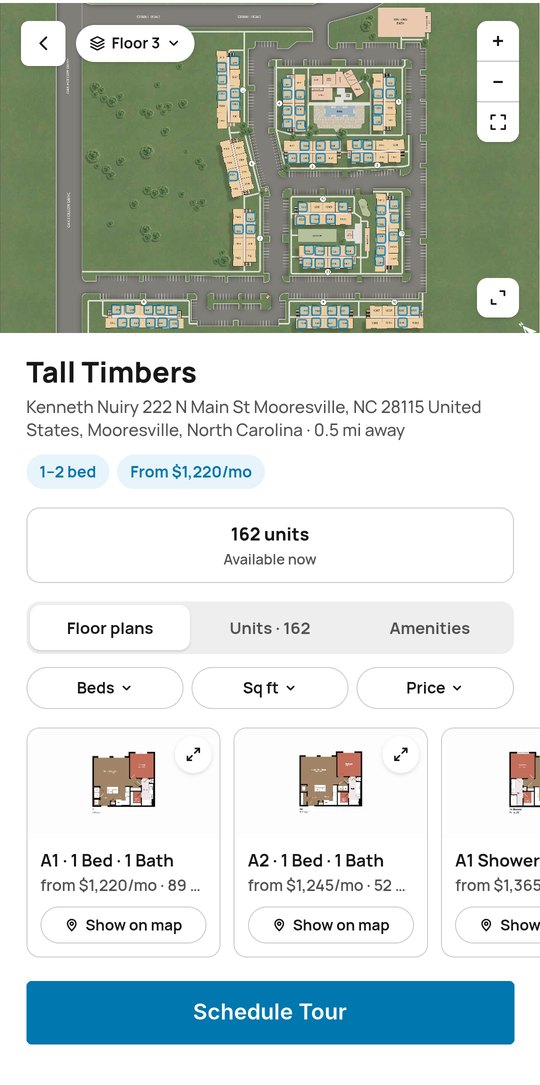
STEP 01
Prospects start on your website’s interactive property map, powered by Pynwheel Map, and pick the homes they want to see.
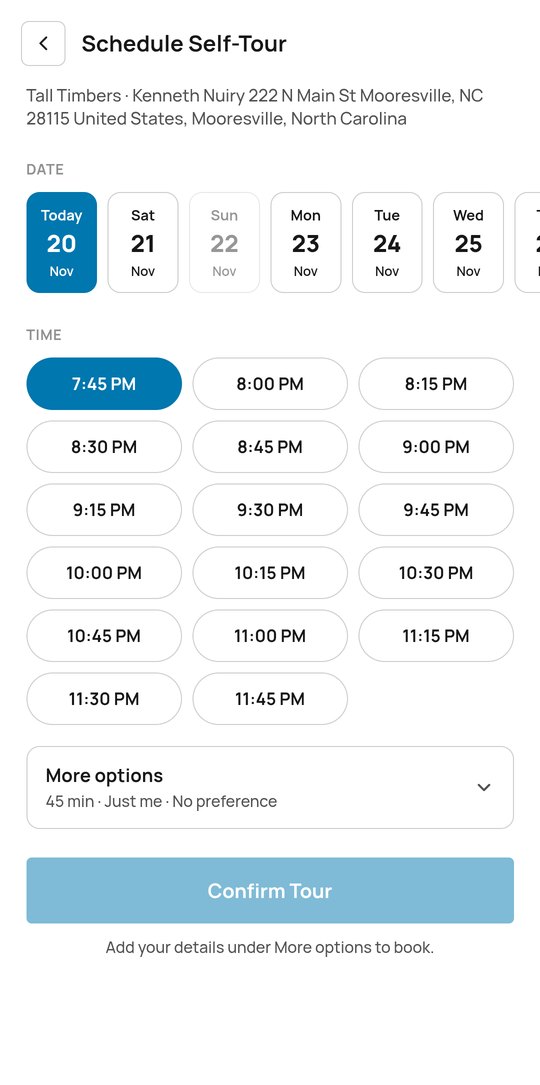
STEP 02
With Pynwheel’s scheduler (or yours), they book a time, authenticate a credit card and open the tour in the app or their browser. Auto-reminders tell them when to arrive and where to start.
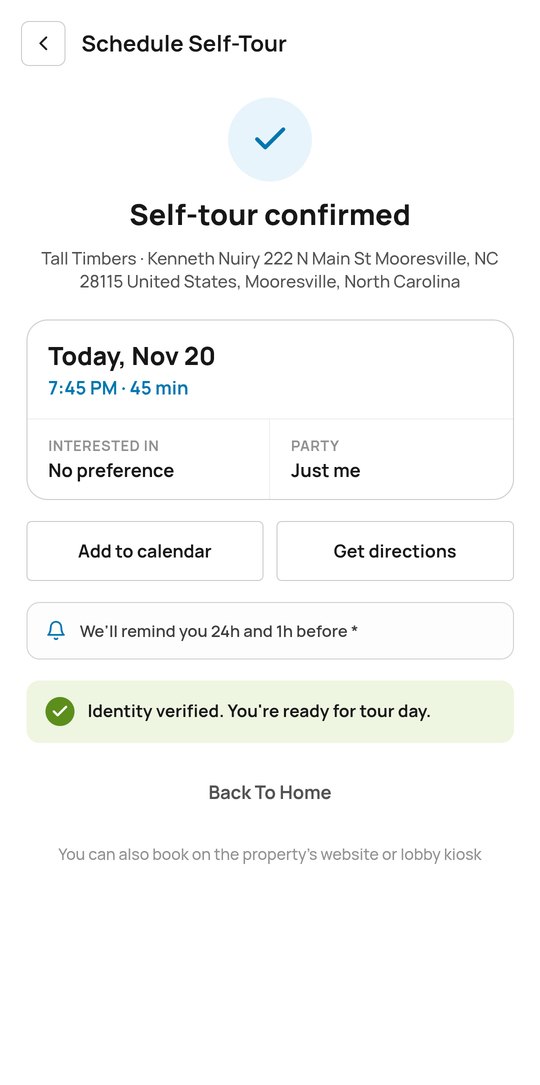
STEP 03
They upload a photo ID and take a selfie on-site, so your team knows exactly who’s touring.
STEP 04
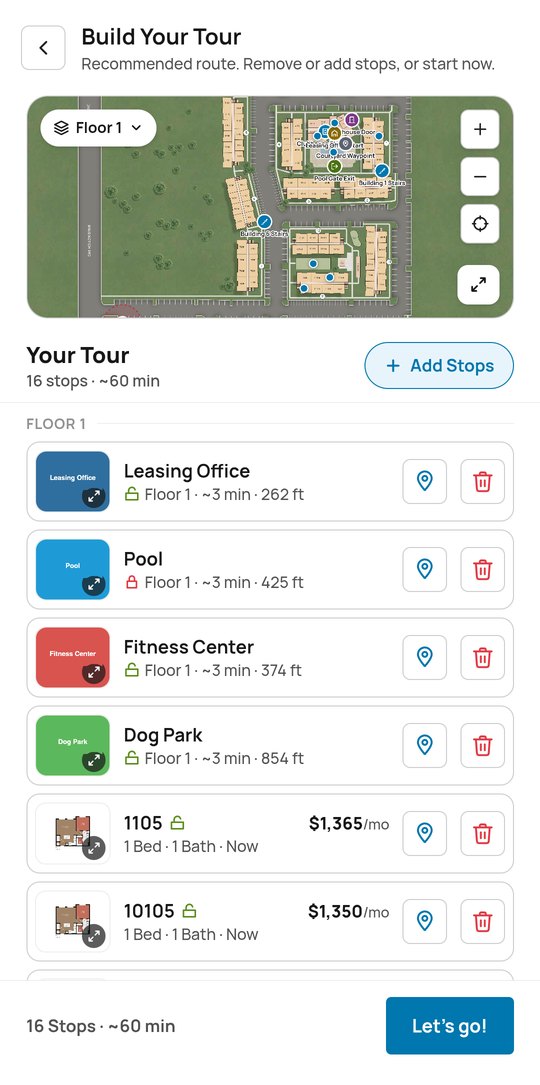
Any available home or amenity can be added, and the wayfinding updates automatically.
STEP 05
Step-by-step wayfinding guides them stop to stop, and your access control opens designated doors. Photos, audio guides and descriptions bring each stop to life, and the AI agent is there if they need a hand.
STEP 06
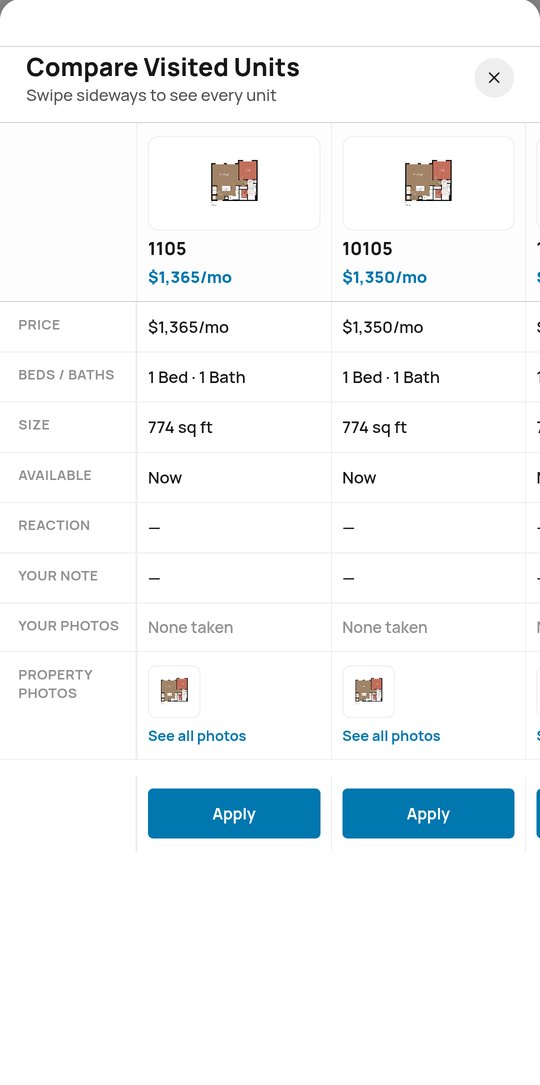
Live availability and pricing let them apply during the tour. Afterward, they can share highlights, photos and notes with friends and family.
// small features, big “oh, nice”
The new Pynwheel Tour sweats the details so prospects (and your leasing team) don’t have to.
Prospects can listen along as they walk and hear about each amenity and home when they get there. Like a museum tour, minus the rented headphones.
Directions can skip the stairs and route prospects by elevator instead, so every tour works for every visitor.
A built-in camera and notepad let prospects capture what they loved (and that one closet they need to measure twice).
After the tour, every home they saw lines up by price, size and availability, with their own notes and photos and an Apply button right there.
Three questions, about ten seconds: how the tour went, how likely they are to apply, and anything else on their mind.
Prospects book the time that fits their life, including evenings and weekends, without anyone working a double shift.
// definitions, for humans and robots
A self-guided apartment tour lets a prospective resident tour a community without a leasing agent. The prospect schedules online, verifies their identity, gets secure access to model or vacant units and amenities, and follows a route on their phone.
Self-guided touring lets you offer tours early, late and on weekends, while your leasing team focuses on the conversations that close leases.
// for your leasing team
Auto-alerts and a Visitor Details page in Pynwheel Connect keep your team in the loop, and Tour Analytics shows sessions, tour length, clicks and the features prospects use most.
Whatever opens your doors today, Pynwheel Tour can integrate with it. Current access partners include:
Tours start on your Pynwheel Map, continue on Pynwheel Tour and show up on the new Pynwheel Touch in your leasing office. One setup, one map, zero “wait, which building is that?”
// FAQ
It’s the only self-guided tour solution built around the property map. Other self-guided tours bolt on a third-party map; Pynwheel Tour puts wayfinding and seamless access first, then adds scheduling, floor plans, photos, audio guides, live availability and online application links. We like to call it the only self-guided tour that’s not self-guided.
Pynwheel Tour is a self-guided tour solution for apartment communities, available as an app and on the web. Prospects schedule a tour, verify their ID, follow step-by-step directions on the property map to the homes and amenities they chose, and unlock doors with their phone.
The new Pynwheel Tour runs as an app and on the web, with even better wayfinding, integration with any access control solution, a built-in AI agent that helps prospects along the way, audio guides at every stop and a cleaner, friendlier UI.
No. Pynwheel Tour is available on the App Store and Google Play, and it also runs in a web browser.
Prospects upload an image of their photo ID and take a selfie, and the verification result is shared with your leasing team.
Pynwheel Tour can integrate with any access control solution. Current access partners include Latch, RemoteLock, igloohome and dormakaba.
The AI agent rides along on the tour and helps prospects every step of the way, so they’re never stuck waiting for a leasing agent.
Yes. Pynwheel Tour directions include an Avoid stairs option that routes prospects by elevator where one is available.
Yes. A built-in camera and notepad capture photos and notes at every stop, and prospects can compare the homes they saw side by side afterward.
Property management systems including AppFolio, Entrata, Yardi, RentCafé, RealPage, ResMan and Rent Manager, plus Salesforce, Knock, Funnel and PERQ.
Yes. Live availability and pricing are built in, along with links to your online application, so prospects can apply before they leave.
Arrival and departure alerts, ID results, extended or abandoned tours, stops visited, tour length, and prospect notes and photos, plus Tour Analytics in Pynwheel Connect.
Apps are typically produced in 2–4 weeks. If smart locks are part of your setup, lock import and setup take about 2–4 weeks after installation.
Take the new Pynwheel Tour for a spin with us. We’re on a mission to be the most enjoyable company to work with in multifamily, so expect a demo that’s actually fun.