
The all-new Pynwheel Touch: your leasing office, now with very big, very smart screens
Pynwheel Touch is the leasing touchscreen app for apartment communities. It turns your leasing office into an interactive showroom. Prospects explore your property map, floor plans, photos and neighborhood on a big, beautiful touchscreen, then take their favorites home on their phone. The new version is cleaner, faster and runs on every screen you've got.
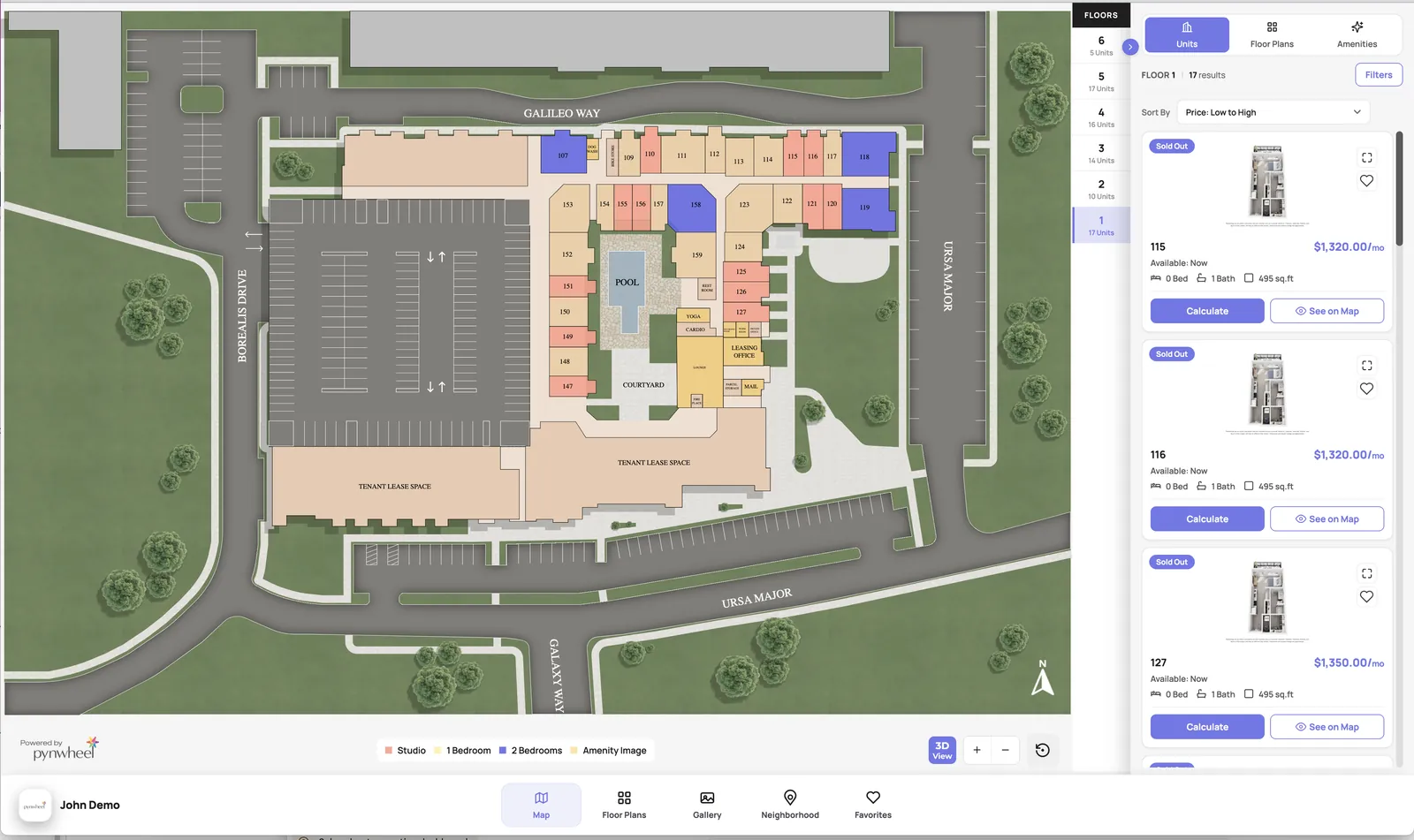
// shown on a 65" wall-mounted touchscreen
// fall 2026 release notes, but make it fun
What's new in Pynwheel Touch
We rebuilt Touch from the ground up. Here's what changed (spoiler: pretty much everything).
Cleaner, modern and faster
A fresh design that puts your community front and center, and loads faster so prospects explore instead of wait. Less clutter, more "ooh."
Built for touch (and thumbs)
Simpler navigation that's easier on touchscreens and phones, plus a new tablet app optimized for iPads and other tablets.
Rent calculator
Prospects pick a move-in date, lease term, applicants and add-ons like pets or parking, and see one-time fees and their true monthly total instantly. Fee transparency, achieved.
A brand-new 3D map
The new Pynwheel Map, built in: floor plan color coding, satellite overlays and a sunlight tool that shows how daylight falls across the property by date and time. (Yes, really.)
Richer floor plan & unit pop-ups
See more at a glance: extra images, more unit details and built-in links to the rent calculator and your 3D tour (if you have one).
Student housing map
Search by floor plan, show unit space details and display availability banners when a floor plan is running low or sold out.
Everything a prospect wants to see, one tap away
Every page is easy to set up, easy to manage and easy to update.
Interactive property map
Prospects tour your whole community on screen, in 2D or 3D, and see what's available.
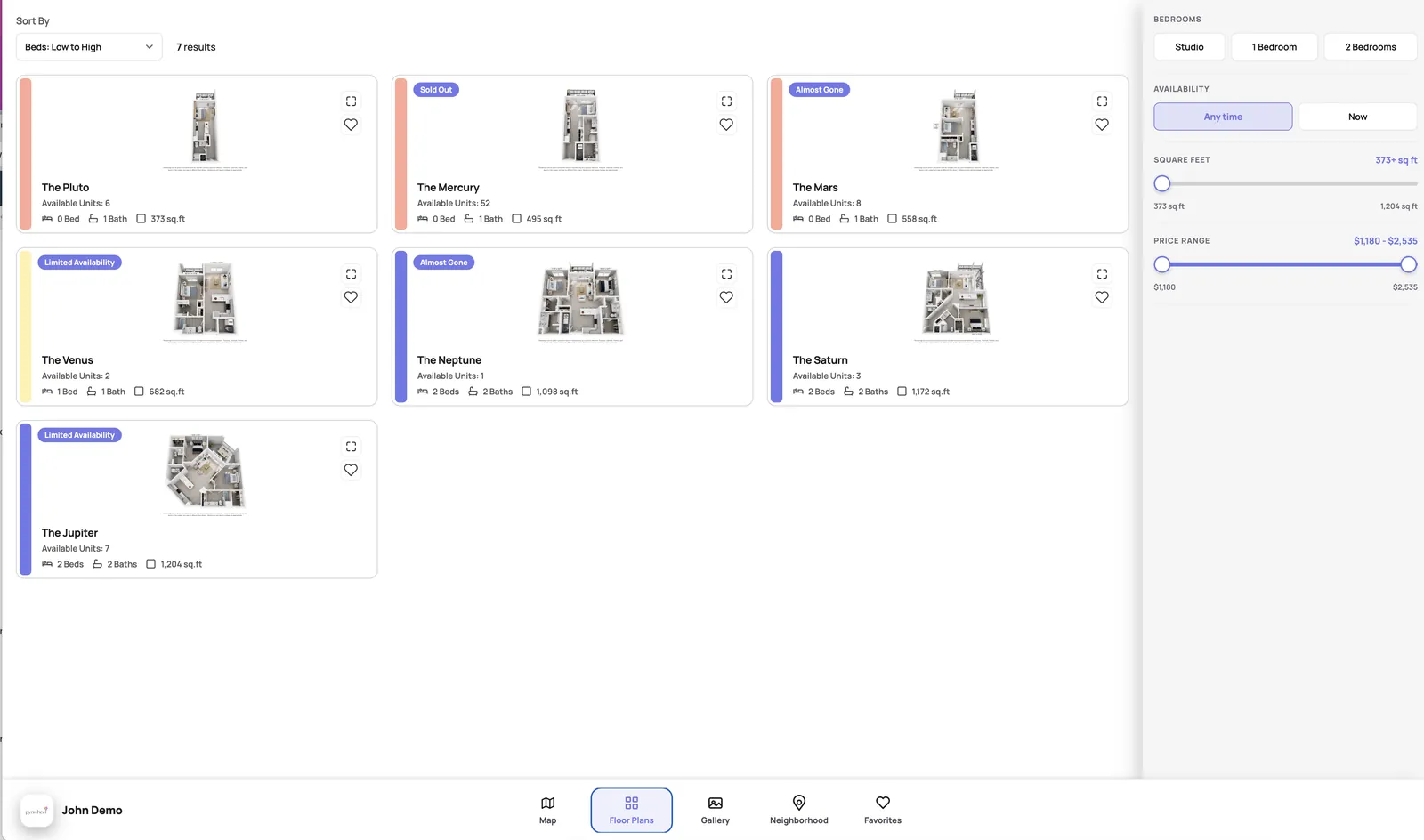
Floor plan gallery
Flip through floor plans and find the homes that fit each prospect's needs.
Home screen slideshows & videos
High-definition visuals that look amazing in your leasing center and invite people to explore.
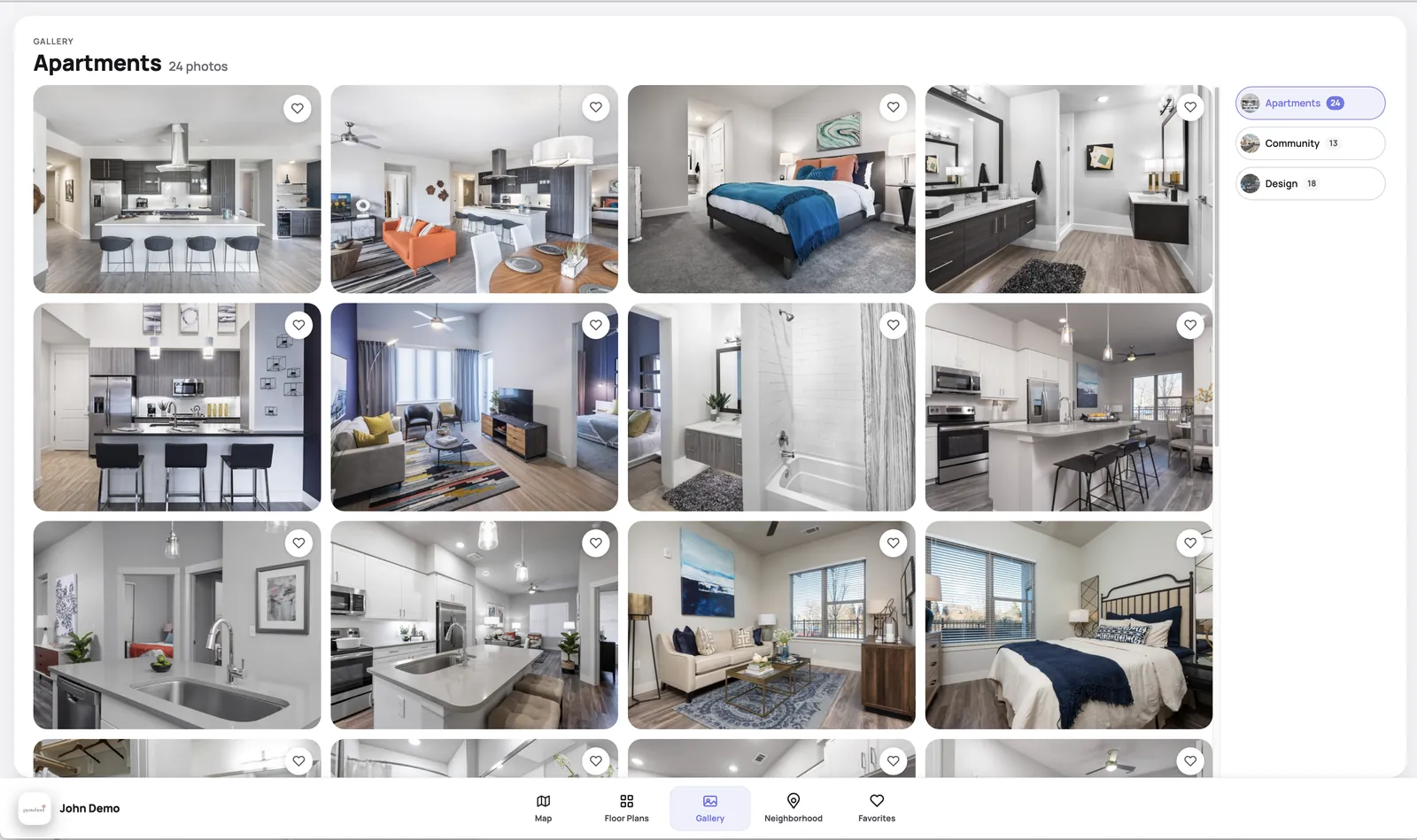
Photo & video galleries
Show off your amenities, finishes and best views. Your community, at its most photogenic.
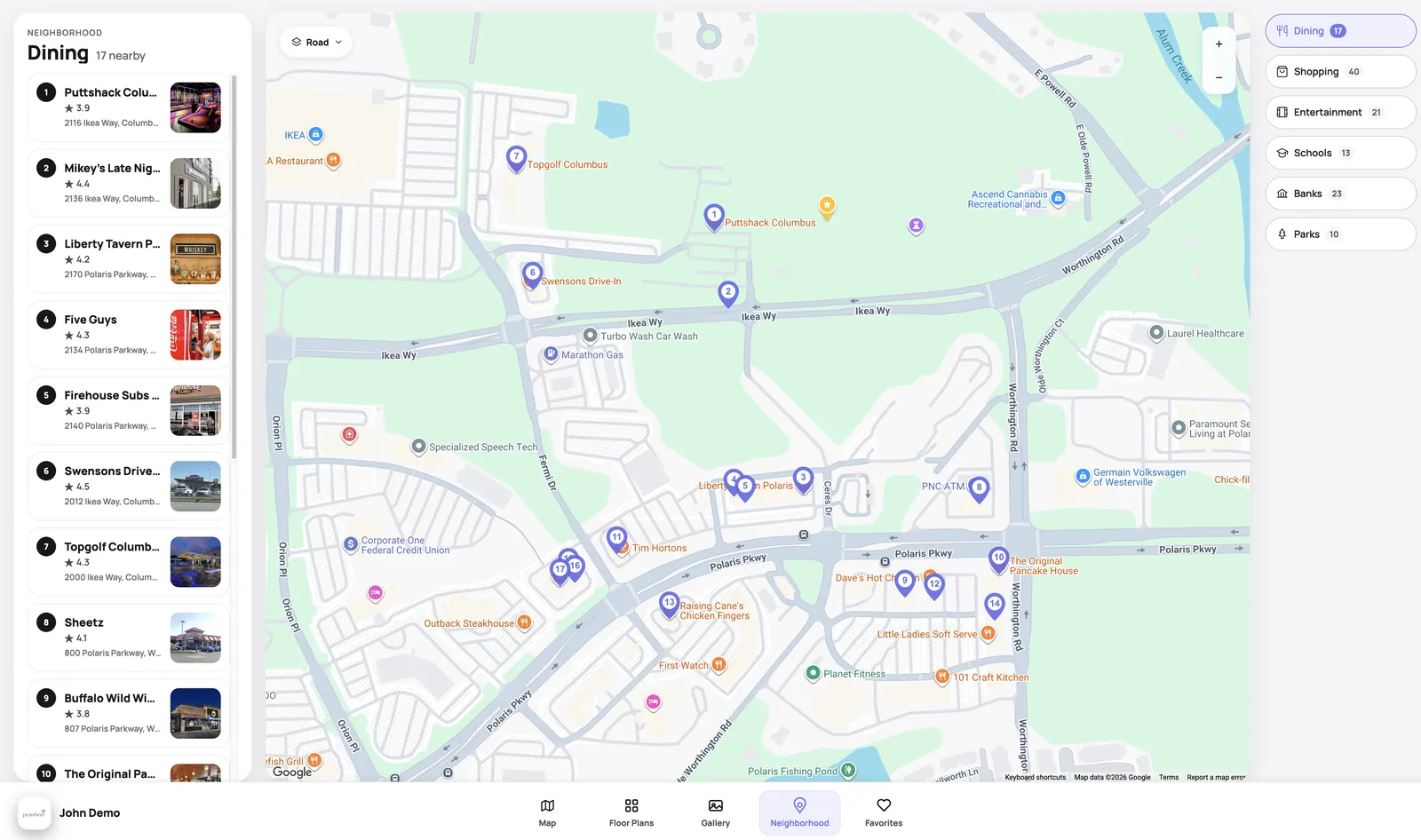
Neighborhood map
Nearby restaurants, shops, schools, banks and parks, all on an interactive map.
Favorites
Kiss those old brochures goodbye. Prospects save favorites to their phone and share them with friends.
Online applications & 3D tours
The tablet and phone apps include a button to your online application. 3D tours aren’t included, but if you have one, we’ll integrate it. Plus custom webpages and about pages.
Live data from your PMS
Unit and floor plan data import straight from the property management system you already use.
// set up once, works everywhere
One setup. Every screen.
Set up Touch once and it works seamlessly across all your devices, from the lobby wall to your leasing agent's pocket.
- Wall-mounted touchscreen (55" or 65")
- Desktop touchscreen
- Windows tablet
- iPad
- Android tablet
- iPhone & Android phone
- Web browser
Touchscreen hardware, handled
We provide high-quality touchscreens backed by a 3-year warranty, plus two levels of support: the Pynwheel team and exclusive manufacturer support for Pynwheel clients.
Integrations & partners
- AppFolio
- Entrata
- Yardi
- RentCafé
- RealPage
- ResMan
- Elo
- Gryd
- LCP360
- Matterport
- Realync
// FAQ
Pynwheel Touch FAQ
What is Pynwheel Touch?
Pynwheel Touch is a touchscreen app for apartment leasing offices. Prospects use it to explore an interactive property map, floor plans, photo galleries and the neighborhood during an on-site tour.
What's new in the latest version?
A clean, modern design that loads faster; a rent calculator; a new 3D map with a sunlight exposure tool; richer floor plan and unit pop-ups; a student housing map; and a tablet app for iPads and other tablets.
Does Pynwheel Touch show the total monthly cost?
Yes. The built-in rent calculator lets prospects choose a move-in date, lease term, number of applicants and add-ons like pets or parking, then shows one-time fees and the monthly total.
What devices does it run on?
Wall-mounted touchscreens (55" or 65"), desktop touchscreens, Windows tablets, iPads, Android tablets, iPhone and Android phones, and the web.
How long does setup take?
Touch apps are typically ready 2–4 weeks after we receive your content and PMS data credentials.
Can Pynwheel provide the touchscreen?
Yes. Our touchscreen packages come with a 3-year warranty, and we can arrange installation through our third-party installation network.
See the new Touch in action
We'll walk you through it live. Fair warning: you'll want one in your lobby.